
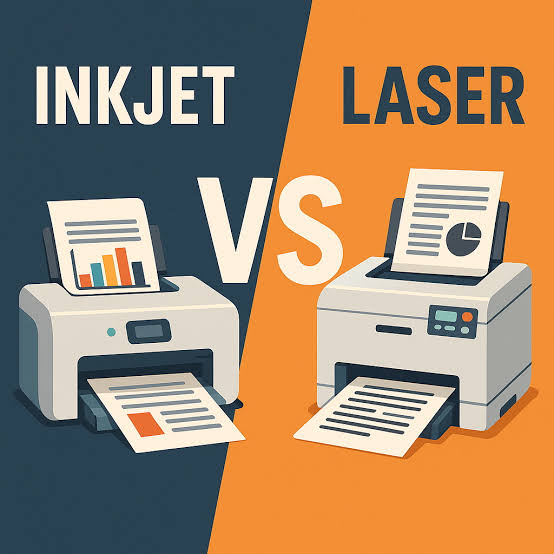
Inkjet vs Laser Printing for Graphic Designers: Choosing the Right Output for Your Work
By Delight Technical College | School of Media & AI- Graphic Design | 2026
Not all printers produce the same results, and for graphic designers who need to produce proofs, mockups, portfolios, and client presentations, understanding the differences between inkjet and laser printing technology helps ensure that printed outputs faithfully represent the intended design. Delight Technical College’s Graphic Design programme addresses printing fundamentals as part of professional print production training.
🖨️ Inkjet Printing- How It Works
Inkjet printers work by spraying tiny droplets of liquid ink onto paper through microscopic nozzles. This technology excels at producing smooth colour gradients, rich photographic imagery, and wide colour gamuts making inkjet the preferred technology for photographic print output.
Strengths of Inkjet:
- Superior photographic and continuous-tone image reproduction
- Wide colour gamut, particularly for fine art and photography printing
- Better performance on specialty media- fine art papers, canvas, and textured surfaces
- Generally lower upfront printer cost for photo-quality output
Weaknesses of Inkjet:
- Slower print speed than laser for high-volume document printing
- Ink can smear if wet before fully dry
- Higher per-page cost for high-volume printing compared to laser
- Ink cartridges can dry out if printer is not used regularly
⚡ Laser Printing- How It Works
Laser printers use an electrostatic process (a laser beam draws the image onto a drum) which attracts toner (dry powder) that is then fused to the paper with heat. This technology excels at sharp text, vector graphics, and high-volume document printing.
Strengths of Laser:
- Sharp, precise text and vector graphic reproduction
- Fast print speed- ideal for high-volume document printing
- Lower per-page cost for high-volume printing
- Smudge-resistant output immediately after printing (dry toner process)
Weaknesses of Laser:
- Generally less capable photographic reproduction than inkjet
- More limited media compatibility- most laser printers cannot handle thick specialty papers or textured surfaces
- Higher upfront printer cost
🎨 Which to Choose for Different Design Outputs
| Output Type | Recommended Technology |
| Portfolio prints and photography | Inkjet |
| Client presentation documents | Laser |
| Vector logo proofs | Laser |
| Photographic mockups | Inkjet |
| High-volume document printing | Laser |
| Fine art or specialty paper printing | Inkjet |
🎓 Print Knowledge at Delight
Understanding print technology differences is part of Delight’s broader print production training ensuring that graphic design graduates can make informed decisions about both their own printing needs and how to properly specify and prepare files for professional printing partners.
“Understanding your output technology is part of professional design practice. At Delight, we train designers who know how their work will physically appear before they send it to print.”
📍 Delight Technical College | Muindi Mbingu Street, Opposite Jevanjee Gardens, Nairobi | +254 722 533 771 | www.delight.ac.ke

You may also like
African Typography and the Design of Kenyan-Language Content

