
Archive and Backup Strategies for Creative Professionals: Protecting Your Life’s Work
By Delight Technical College | Career & Entrepreneurship | 2026
A photographer who loses their hard drive loses their entire body of work. A filmmaker who suffers a computer failure mid-project loses weeks of editing work. A graphic designer who lacks backup risks losing client deliverables that are irreplaceable. For Delight Technical College graduates building creative careers, systematic file archiving and backup is not a technical nicety, it is a fundamental professional responsibility.
💾 The 3-2-1 Backup Rule
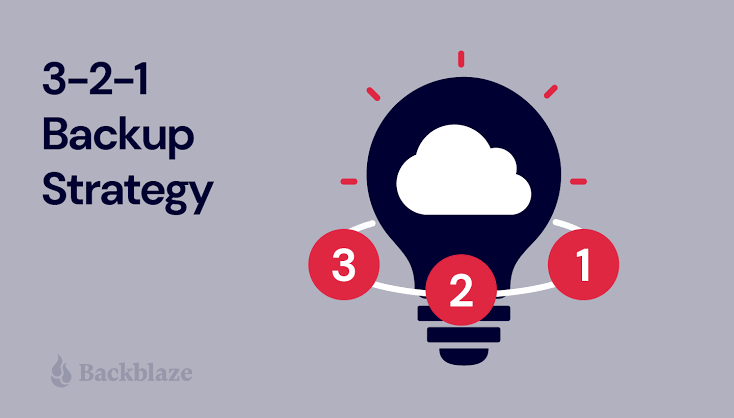
The most widely recommended approach to data backup in professional contexts:
- 3 copies of your data- the original plus two backups
- 2 different storage types- for example, an internal drive plus an external drive
- 1 offsite copy- stored in a different physical location from the original, protecting against fire, theft, or physical disaster affecting a single location
🗃️ Backup Solutions for Creative Files
External Hard Drives:
The most common and cost-effective backup solution for large creative files is particularly important for photographers and videographers who generate large volumes of high-resolution image and video files. Multiple external drives in a rotating backup scheme provide reliable local protection.
Cloud Storage:
- Google Drive (15GB free, expanded storage affordable)- well-suited for documents, design files, and moderate-size image libraries
- Dropbox- popular with creative teams for both backup and file sharing
- Backblaze- specifically designed for comprehensive computer backup, including large creative file libraries, at low monthly cost
RAID Systems:
For higher-volume creative businesses, RAID storage systems (where data is automatically mirrored across multiple drives) provide automatic redundancy (if one drive fails, data remains intact on the mirror).
📋 Organising Files for Effective Archiving
Backup is only useful if files are organised logically enough to find what you need when you need it — a disorganised backup archive may technically preserve the data while making it practically useless:
- Consistent, descriptive folder naming (Client_ProjectName_Date)
- Separating raw working files from final, delivered files
- Maintaining separate client project folders rather than mixing projects
- Version control discipline- naming files to indicate version (v1, v2, FINAL) clearly
⏰ Backup Frequency and Discipline
- Backing up immediately after every significant creative work session- not waiting until a project is complete
- Verifying backups periodically- checking that files can actually be restored, not just that they appear to have copied successfully
- Updating backup systems when storage capacity is outgrown, rather than allowing backups to fall behind
🎓 How Delight Addresses File Management
Digital Literacy training (Level 5) includes file management fundamentals, and the practical requirements of digital project work across Delight’s media programmes instil the file organisation discipline that effective backup depends on.
“Creative work is irreplaceable (once lost, it cannot be recreated). At Delight, we build the backup discipline that protects years of creative effort from a single technical failure.”
📍 Delight Technical College | Muindi Mbingu Street, Opposite Jevanjee Gardens, Nairobi | +254 722 533 771 | www.delight.ac.ke

You may also like

African Typography and the Design of Kenyan-Language Content

